


Communication is a hidden time sink in most labs. Studies show scientists spend around 30% of their workday on messaging, clarifying instructions or tracking updates (NC State University). That’s a third of the day lost to chasing conversations.
Imagine dozens of samples, multiple projects and dozens of team members - now multiply that by all the lab objects your team handles daily. Where does all the discussion happen? Outlook. Slack. Teams. And, occasionally, in someone’s memory (the infamous "Mind Palace" method).
Important information gets buried, approvals are delayed and mistakes creep in.
What if your LIMS or another lab system could host a contextual discussion thread for every object - a place where all conversations, files and approvals live directly with the sample, protocol, project or material it concerns?
This article dives into Contextual Chat, Feature #3 in our "Custom LIMS features for hidden lab pains" series - small features that make a massive impact.
Contextual chat solves the problems above by bringing the conversation to the data itself, keeping everything organized and traceable.
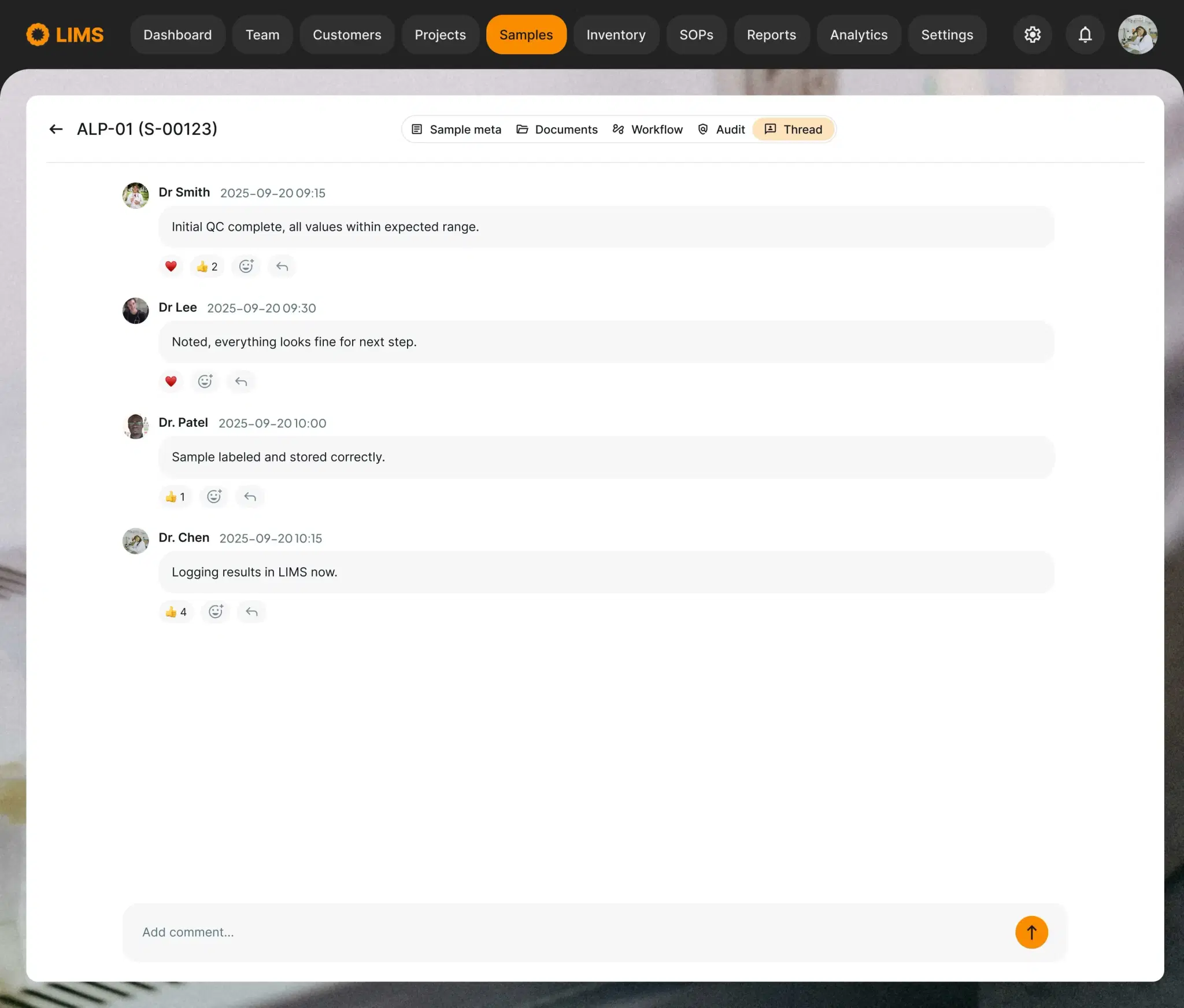
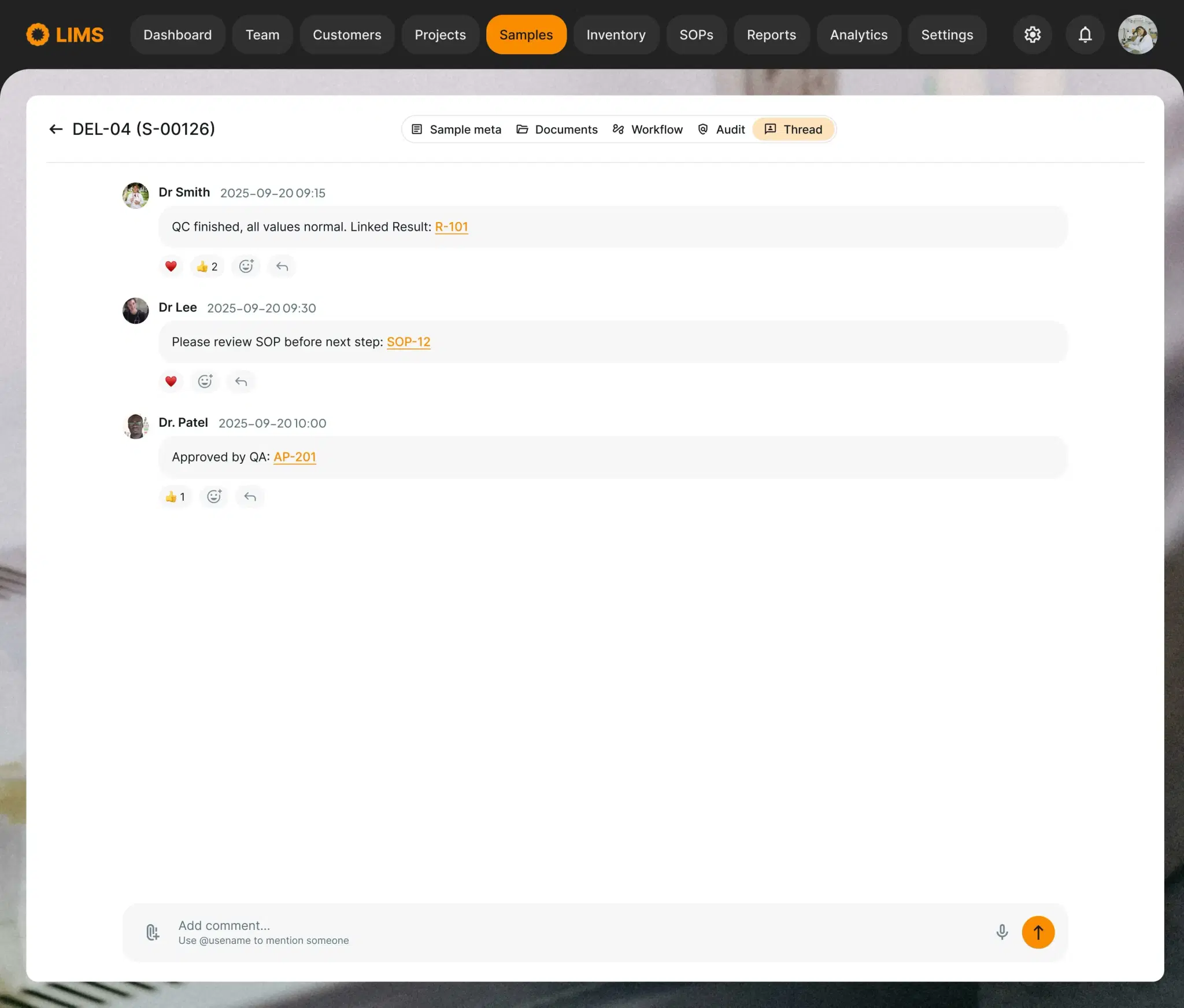
Every sample or project gets a dedicated conversation thread inside the LIMS. Basic chat functionality lets your team communicate directly where the work happens - no more email scavenger hunts.
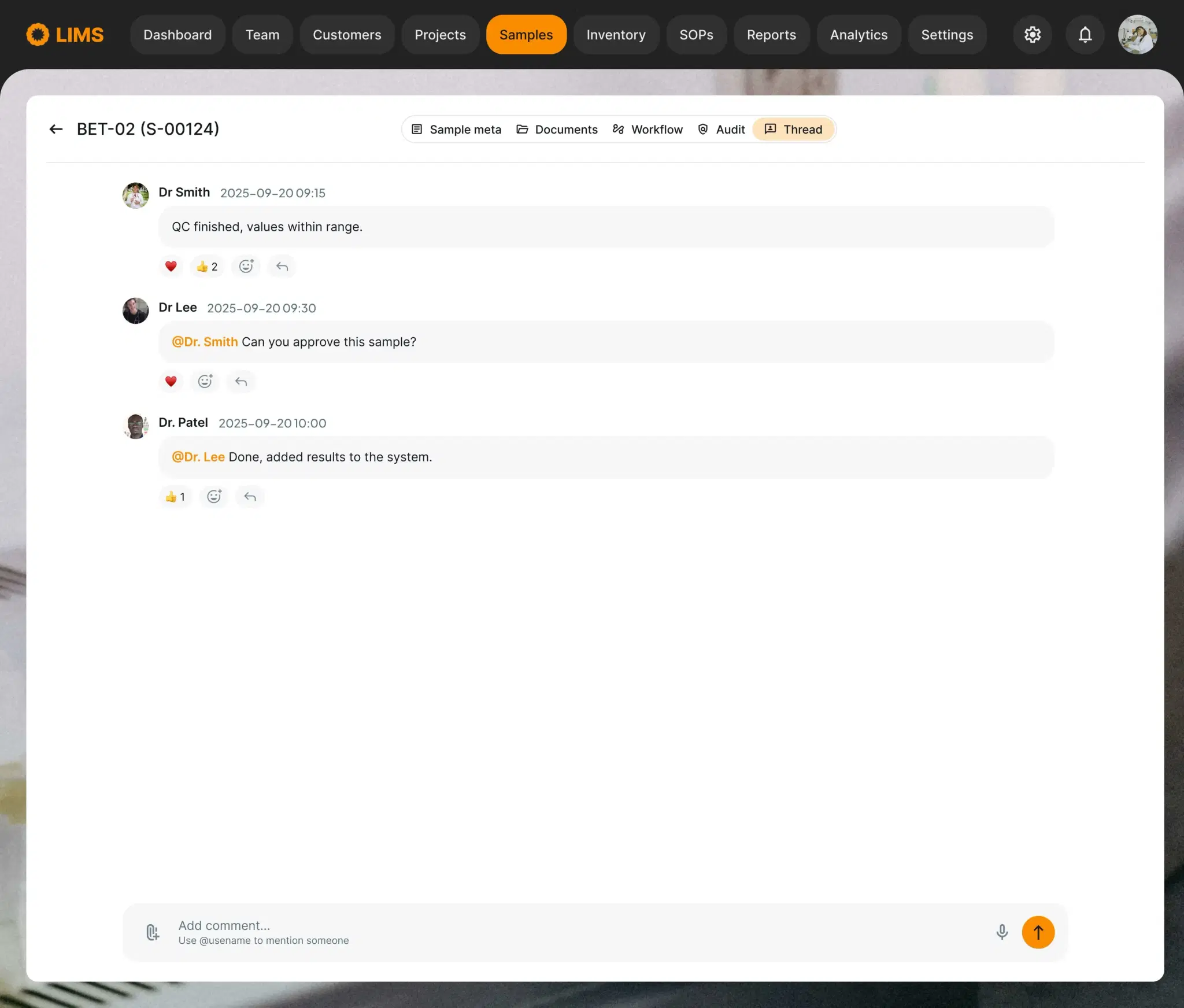
@Mentions ensure the right person sees the right message at the right time. Notifications trigger instantly, keeping approvals and clarifications fast and transparent.
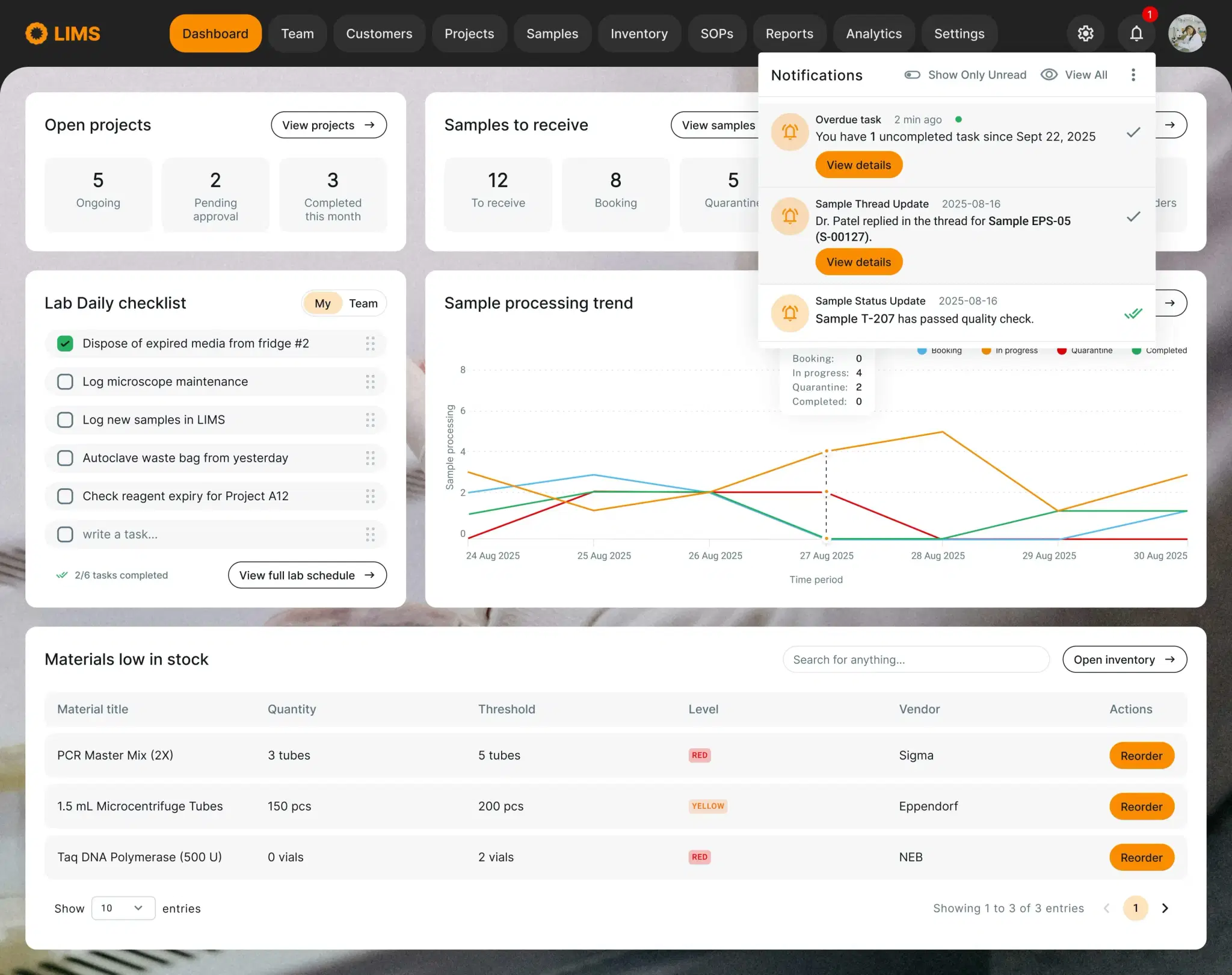
Tagged in a message? You get a real-time alert, keeping work flowing instead of waiting for a response buried in another app.
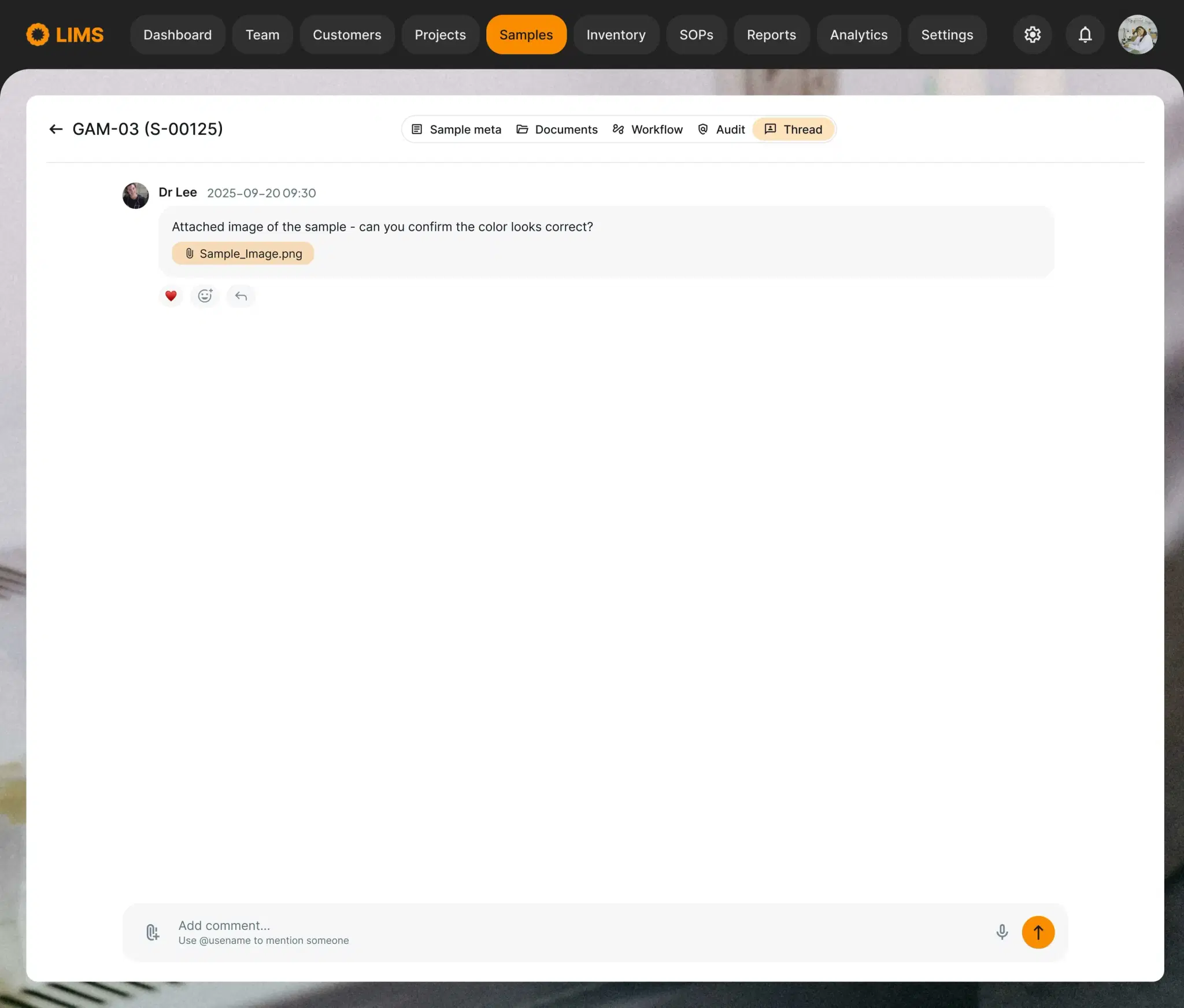
Attach images, files or notes directly to the object. Whether it’s a sample photo or supporting file, context stays with the data.
Reference other system entities like QC results, SOPs or materials used inline. Clicking the link brings the user directly to the related record - no hunting through separate screens.
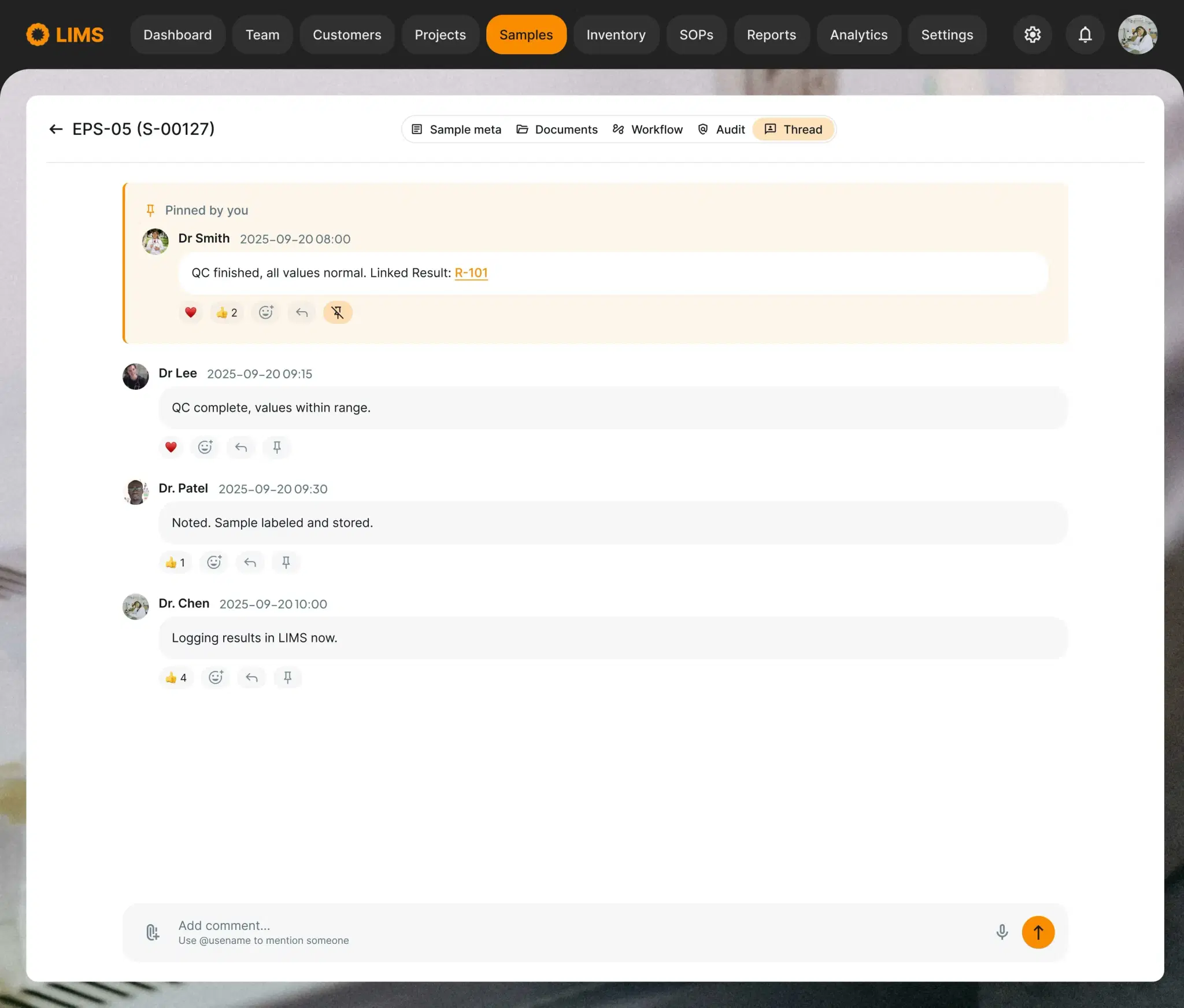
Highlight critical instructions like "Do not forget to store sample at -80°C immediately". Pinned messages stay at the top of the thread so nothing gets missed.
Contextual chat turns your LIMS from a static database into a dynamic collaboration hub. Conversations live where the work happens, approvals and results are easy to track and teams can focus on science instead of hunting messages.
- Faster decisions: all discussion in one place reduces waiting and confusion
- Fewer errors: critical instructions and approvals never get lost
- Improved accountability: mentions, pins and links make tracking easy
- Scalable: works for hundreds of samples, projects or materials
Takeaway: grab this idea for your team - basic functionality can be implemented in weeks, not months.
Building software for a regulated lab?
We scope, build and validate lab systems — from LIMS to instrument integrations.
Book a Discovery Call