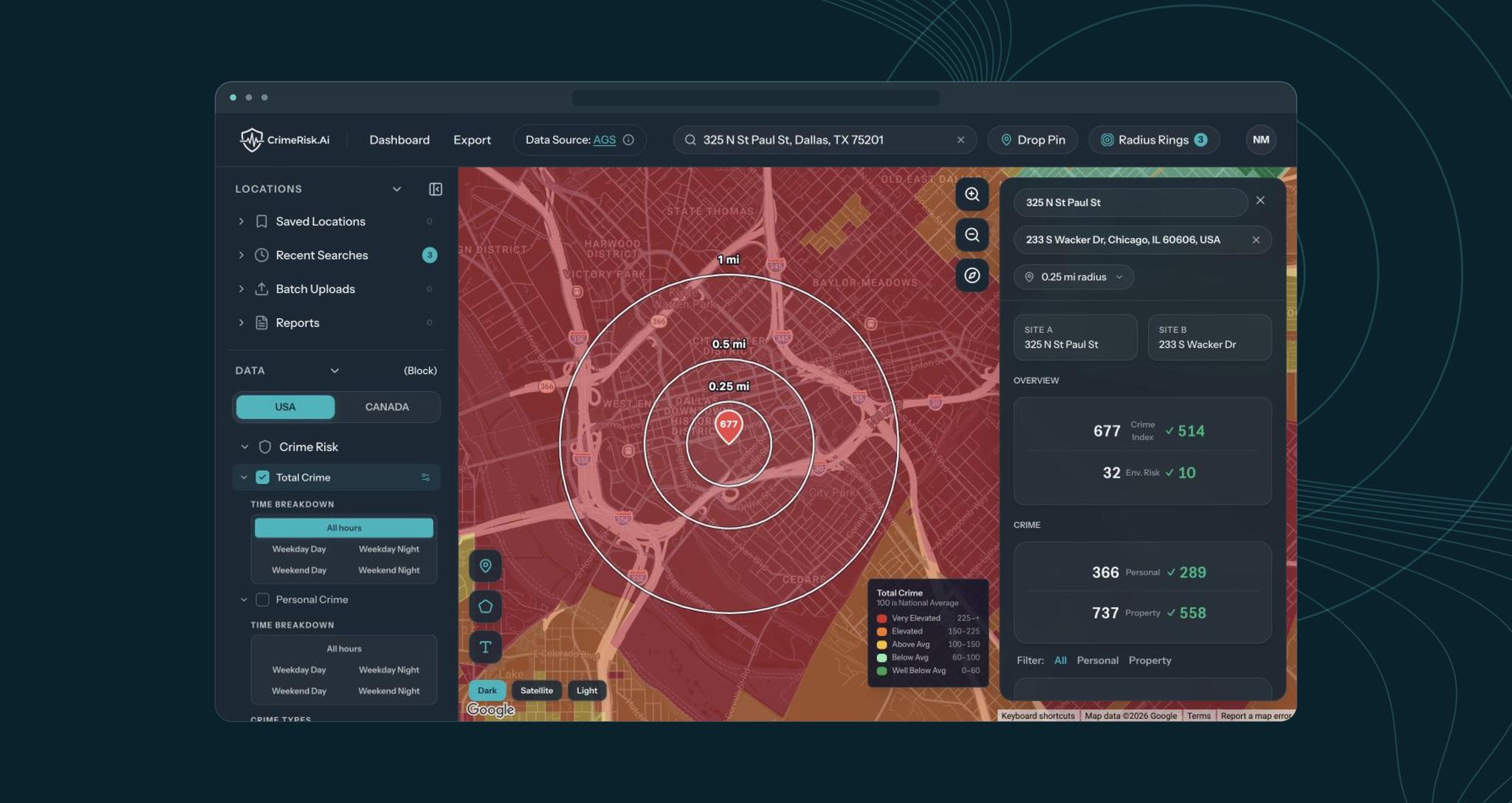

The old platform already had mapping, risk layers and reports. CrimeRisk.ai wanted the product moved onto Google Maps and organized around four things its customers do with a location.
Look Into an Address
See the crime risk, environmental hazards and demographics for one site within a chosen radius.
Compare Sites
Put two locations side by side and read them on the same measures.
Come Back Later
Keep saved locations and address lists in one place and reopen any of them on the map.
Send a Report
Export the assessment as a PDF or CSV and find it again in a report library.
The team came to us with plenty of ideas for where the product should go. Our job was to work through those ideas with them, decide what to build first and then design and build it.
We met with the CrimeRisk.ai team throughout the project and made the big decisions about the app together.
Agree How It Behaves
We took each idea and agreed how it should behave, for example what an address search brings up or what happens when someone changes the radius.
Design and Review
We designed the screens and showed them to the CrimeRisk.ai team before building anything.
Share Working Parts
We shared parts of the app as soon as they worked, because clicking through a working screen shows more than a design, and changes cost less before launch.
The new app has two main places: the map, built on Google Maps, where someone looks into one location, and the dashboard, which holds saved work and opens any of it back on the map.
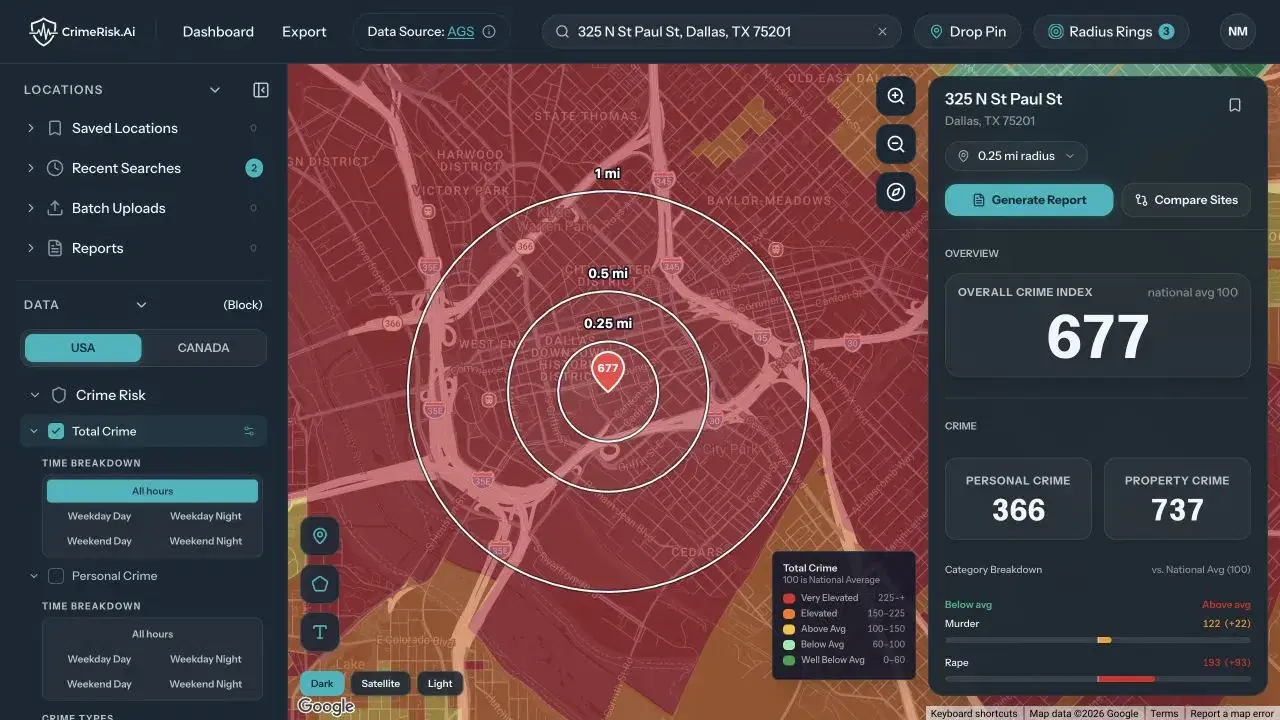
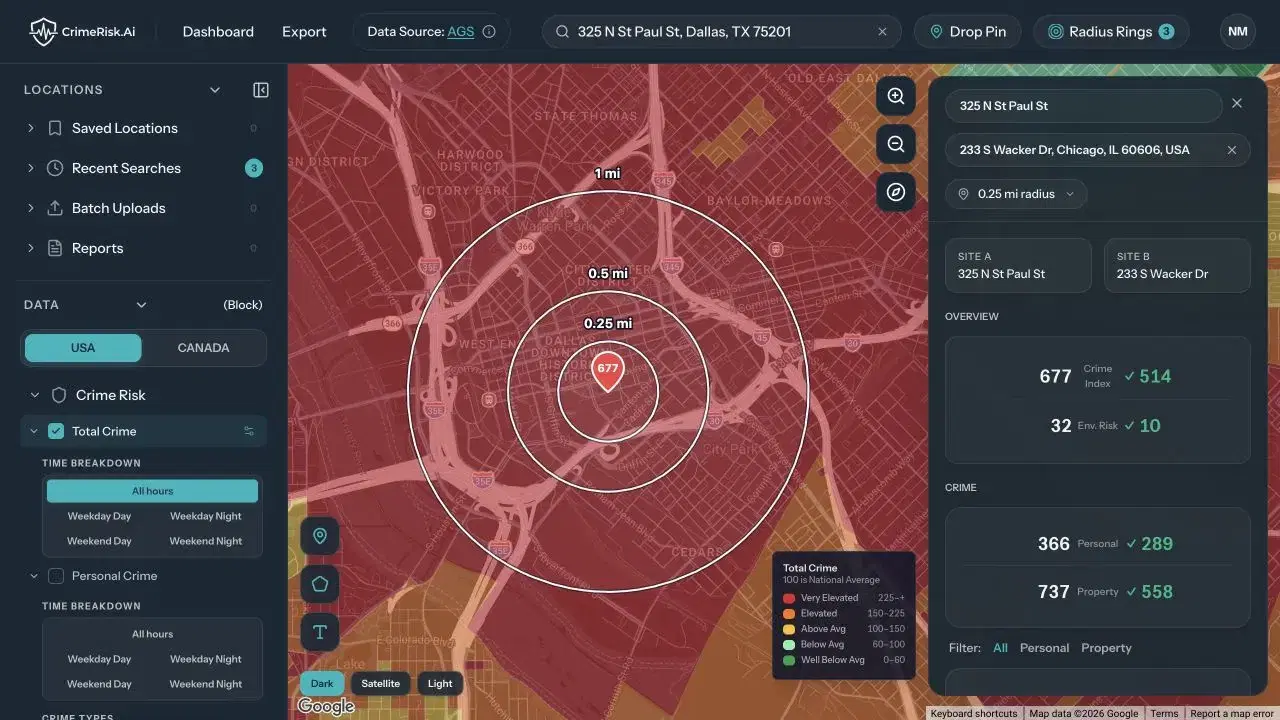
Pick an address and its assessment fills in. The overall crime index breaks down into personal and property crime and then into individual offenses, with environmental hazards and demographics for the same area next to it. Add a second address and the two sites appear side by side with the same measures, so comparing them means reading across one panel.
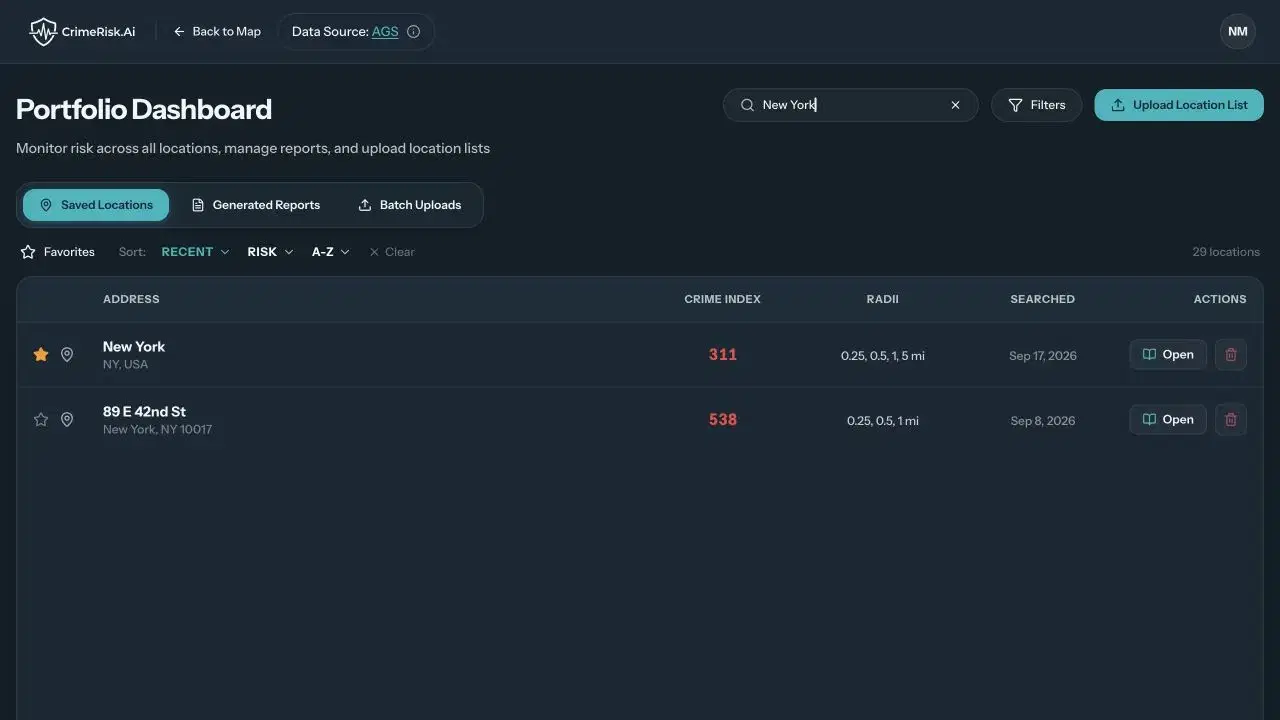
The dashboard holds saved locations and uploaded address lists. A user can open any saved location back on the map with its radius, or look at a whole list of addresses as a batch before picking one to study closely. Reports go out as PDF or CSV and stay in a report library for later.
- Address Search
- Radius Search
- Crime Breakdown
- Site Comparison
- Saved Locations
- Address Batches
CrimeRisk.ai now operates a rebuilt risk application covering every address in the United States and Canada. A customer can go from an address to a full risk profile on Google Maps, with crime, environmental and demographic data together, then compare locations, save them and issue a PDF or CSV report from the same workspace.
The platform also supports portfolio work. Customers can upload address lists, review them as a batch and reopen any saved location with its original radius, so teams responsible for many properties manage them in one place.
For CrimeRisk.ai, the release puts the priorities its team set into production, in the order we agreed together, and gives the risk data from Applied Geographic Solutions an interface built around how its customers work.